In today’s digital world, data is everywhere. Websites, apps, APIs, and software systems all depend on structured data to work properly. Two of the most common data formats used by developers are XML and JSON.
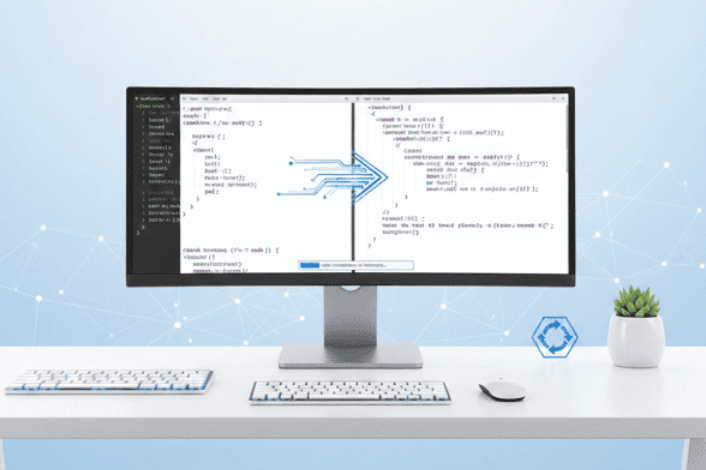
Sometimes, you need to convert data from one format to another. This is where an XML to JSON converter becomes very useful. Instead of writing complex scripts or using heavy software, you can now convert your data online in just a few seconds.
This article explains what XML and JSON are, why conversion is needed, and how you can use a free online tool to do it quickly and safely.
What Is XML?
XML stands for Extensible Markup Language. It is a format used to store and transport data. XML uses tags to describe data. It looks similar to HTML but is designed for data, not for displaying web pages.
Example of XML
<user>
<name>Ayesha</name>
<age>25</age>
<city>Karachi</city>
</user>
XML is widely used in:
- Web services
- Configuration files
- Enterprise systems
- Document storage
It is very structured and readable, but sometimes it can become long and complex.
What Is JSON?
JSON stands for JavaScript Object Notation. It is a lightweight data format that is easy for both humans and machines to read.
Example of JSON
{
“name”: “Ayesha”,
“age”: 25,
“city”: “Karachi”
}
JSON is popular because:
- It is lightweight
- Easy to read and write
- Works perfectly with modern web applications
- Supported by almost all programming languages
Most modern APIs use JSON instead of XML because it is faster and simpler.
Why Convert XML to JSON?
There are many reasons why developers and data users XML to JSON Converter.
1. Better Performance
JSON files are usually smaller than XML files. This means faster loading and better performance in web applications.
2. Easier to Work With
JSON has a simpler structure. Developers can easily read and edit it.
3. API Compatibility
Most modern APIs accept JSON. If your data is in XML, you may need to convert it before using the API.
4. Modern Development Standards
Today’s web frameworks and mobile apps prefer JSON because it is lightweight and easy to parse.
Introducing a Free XML to JSON Converter
If you need a quick and simple solution, you can use this online tool:
XML to JSON Converter:
https://www.allfiletools.com/xml-to-json/
This tool allows you to convert XML data into JSON format instantly without installing any software.
Key Features of the Tool
1. Fast Conversion
The tool processes your XML data in seconds.
2. Free to Use
You don’t need to pay or create an account.
3. Simple Interface
Even beginners can use it without any technical knowledge.
4. Online Access
You can use it from any device:
- Laptop
- Mobile
- Tablet
5. Secure Processing
Your data is processed instantly and not stored permanently.
How to Convert XML to JSON Online
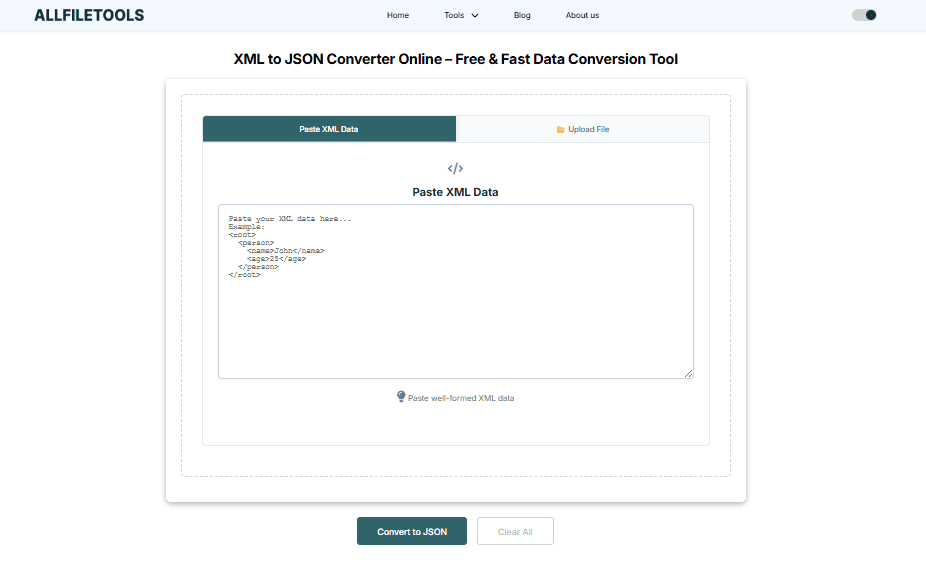
Follow these simple steps:
Step 1: Open the Tool
Go to the XML to JSON converter page:
https://www.allfiletools.com/xml-to-json/
Step 2: Paste or Upload XML
- Paste your XML data into the input box
or - Upload your XML file
Step 3: Click Convert
Press the Convert button.
Step 4: Copy or Download JSON
Your JSON result will appear instantly.
You can copy or download it.
See also: Homerocketrealty .Com: Homerocketrealty.Com: Exploring Digital Real Estate
Who Can Use This Tool?
This tool is helpful for many types of users.
Developers
Developers often work with APIs that require JSON.
Students
Students learning programming can use it to understand data formats.
Data Analysts
Analysts can convert data for different systems.
System Administrators
Admins can transform configuration files easily.
Common Use Cases
Here are some real-world situations where conversion is useful:
API Integration
You receive XML data but the API accepts only JSON.
Data Migration
You move data from an old system to a modern one.
Web Development
Your front-end framework needs JSON data.
Testing and Debugging
You want to quickly check how data looks in JSON format.
Benefits of Using an Online Converter
No Installation Needed
You don’t have to download any software.
Saves Time
Manual conversion takes time and can cause errors.
Easy for Beginners
No coding skills are required.
Works Anywhere
You only need an internet connection.
Tips for Better Conversion
- Make sure your XML is properly structured.
- Close all tags correctly.
- Avoid unnecessary nested elements.
- Validate XML before converting.
These small steps help you get accurate results.
Why Choose AllFileTools?
AllFileTools provides a wide range of free online tools designed for everyday tasks.
Benefits include:
- Clean and simple interface
- Fast processing
- No login required
- Multiple file and data tools in one place
You can explore more tools here:
https://www.allfiletools.com
Conclusion
XML and JSON are both important data formats. However, modern applications mostly prefer JSON because it is lightweight and easier to use.
Instead of writing complex code, you can use a simple online converter to change your XML data into JSON in seconds. It saves time, reduces errors, and works on any device.
If you need a quick, free, and reliable solution, try the XML to JSON converter from AllFileTools and make your data conversion process smooth and stress-free.
🔹 Explore more powerful file conversion and online utilities at AllFileTools –
🔹 For technical support, digital solutions, and expert services, visit LetDigitalFly IT Services –
🔹 Discover additional career and productivity resources at Resume Slip Builder –
FAQs
Q1: What is an XML to JSON converter?
ANS: It is a tool that changes XML data into JSON format.
Q2: Is the tool free?
ANS: Yes, the online converter is completely free.
Q3: Do I need to install anything?
ANS: No, it works directly in your browser.
Q4: Is my data safe?
ANS: Yes, the tool processes data instantly and does not store it.
Q5: Can beginners use this tool?
ANS: Yes, the interface is simple and easy to understand.